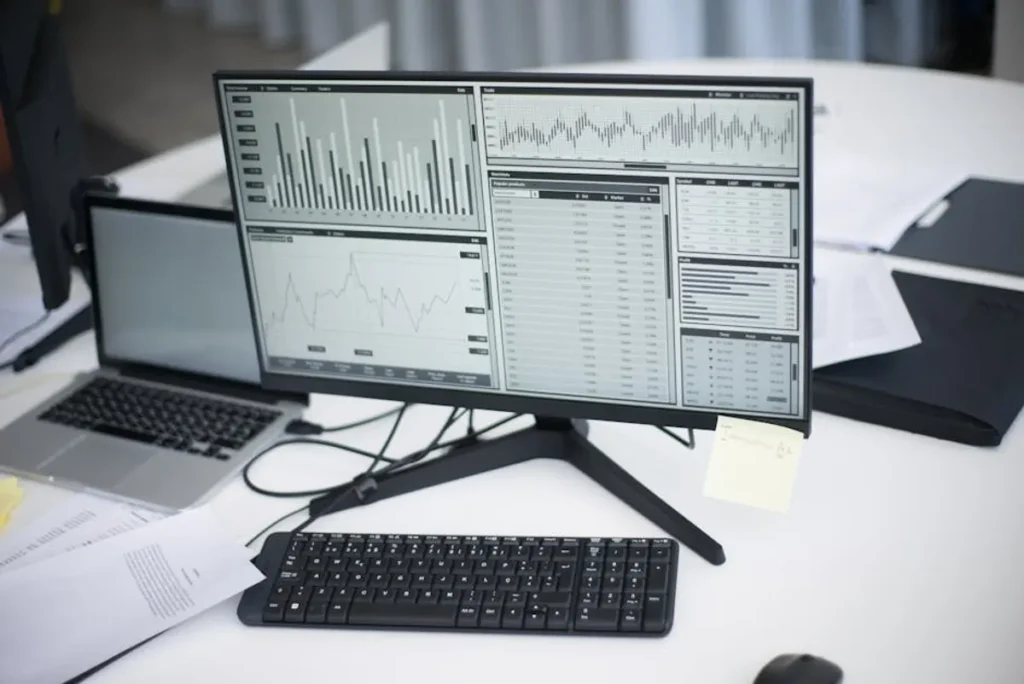
Tracking desktop Search Engine Results Pages (SERPs) remains a foundational activity for SEO professionals, despite the increasing focus on mobile. While mobile search dominates daily quick queries, desktop environments often facilitate more in-depth research, complex purchasing decisions, and B2B transactions. Accurate desktop SERP tracking provides a clear, unbiased view of your organic visibility in these critical user journeys, informing content strategy, technical optimizations, and competitive analysis.
The Enduring Importance of Desktop SERPs
Dismissing desktop SERPs as a secondary concern overlooks significant segments of online activity. Users often switch between devices, initiating searches on mobile and completing them on desktop, especially for high-value purchases, detailed information gathering, or work-related tasks. The layout, available features, and even ranking algorithms can differ between desktop and mobile, making independent tracking essential. For example, detailed knowledge panels, extensive image carousels, or complex local packs might display more prominently or differently on a larger desktop screen, influencing user clicks and engagement. This device switching behavior underscores why independent mobile tracking remains critical for comprehensive SEO analysis.
Ignoring desktop performance means missing opportunities to capture traffic from users who are often further down the conversion funnel or engaged in more serious research. Industries like finance, software, manufacturing, and education frequently see significant desktop search volume driven by users seeking comprehensive data and solutions.
Core Metrics for Effective Desktop SERP Tracking
Effective desktop SERP tracking moves beyond simple keyword position checks. It requires monitoring a suite of metrics that paint a complete picture of your visibility and competitive landscape:
- Keyword Position: The fundamental metric, indicating where your website ranks for specific keywords. Track daily or weekly changes to identify trends and assess optimization impact.
- SERP Feature Presence: Beyond standard organic listings, monitor your appearance in rich results like Featured Snippets, People Also Ask boxes, Image Packs, Video Carousels, Local Packs, and Sitelinks. These features often capture significant click-through rates.
- Organic Visibility Score: A weighted metric that combines keyword positions with search volume, providing a holistic view of your overall presence in the SERPs.
- Competitor Rankings: Track key competitors for your target keywords to benchmark performance and identify their strategic moves. This reveals opportunities and threats.
- Search Volume Trends: Understand how the demand for your target keywords changes over time. This helps prioritize optimization efforts and forecast potential traffic.
- Historical Data: Maintain a robust history of all tracked metrics. This enables year-over-year comparisons, seasonal analysis, and long-term performance evaluation.
Methods for Tracking Desktop SERPs
Tracking desktop SERPs can range from manual checks to sophisticated automated systems, each with distinct advantages and limitations.
Manual Spot Checks
For a handful of keywords, a direct search on Google from a desktop browser can provide a quick snapshot. However, this method is highly inaccurate and impractical for any serious SEO effort. Personalization based on search history, location, and user settings heavily influences results. Furthermore, the scale required for comprehensive tracking makes manual checks impossible to sustain or verify.
Automated Rank Tracking Platforms
The industry standard for accurate and scalable SERP monitoring involves specialized automated platforms. These systems simulate user searches under controlled conditions to provide objective data:
How They Work:
Automated trackers typically use a network of proxy servers and virtual browsers to perform searches from various geographic locations and IP addresses. This minimizes personalization bias and allows for precise location-based tracking. They can mimic different user agents (e.g., specific browser versions) and often clear cookies and cache before each search to ensure a fresh, unbiased result.
Key Features to Prioritize:
- Daily Updates: Essential for quickly identifying ranking fluctuations and responding to algorithm changes or competitive moves.
- Location-Specific Tracking: The ability to track rankings for specific cities, states, or countries, crucial for businesses with local or regional targeting.
- SERP Feature Detection: Automatically identify and report on your presence in various SERP features, providing a richer understanding of visibility beyond traditional organic links.
- Competitor Monitoring: Configure the platform to track your competitors' rankings and SERP feature performance for the same keyword sets.
- Historical Data Retention: Ensure the platform stores extensive historical data, allowing for long-term trend analysis and performance comparisons.
- Reporting and Alerts: Robust reporting capabilities, including customizable dashboards and automated alerts for significant ranking changes, are vital for efficient analysis.
- API Access: For larger agencies or in-house teams, API access allows for integration with other data sources and custom reporting solutions.
Pro Tip: When setting up location-specific tracking, verify that your chosen platform can accurately simulate searches from the exact geographic points relevant to your audience. Some tools offer city-level precision, while others might be limited to state or country. Inaccurate location simulation can lead to misleading ranking data, especially for businesses with a strong local SEO component.
Establishing Your Desktop SERP Monitoring Workflow
A structured approach ensures that your tracking efforts yield actionable insights:
- Define Target Keywords: Start with your most commercially important keywords, then expand to include long-tail variations, informational queries, and competitor-specific terms. Regularly review and update this list.
- Specify Target Locations: Determine the geographic areas most critical to your business. This could be a single city, multiple states, or several international markets.
- Set Tracking Frequency: Daily tracking is ideal for dynamic SERPs and competitive niches. Weekly tracking can suffice for more stable industries, but ensure it aligns with your analysis cadence.
- Identify Competitors: List your direct and indirect organic competitors. Tracking their performance alongside yours provides context and highlights strategic gaps.
- Configure Reporting: Customize dashboards and reports to highlight key metrics and trends. Schedule regular reports for stakeholders to ensure everyone is informed.
Leveraging Your Desktop SERP Data for Growth
Tracking data is only valuable when it informs strategic decisions. Use your desktop SERP insights to:
- Optimize Content: Identify keywords where you're ranking on page two or three and prioritize content improvements to push them onto page one. Analyze SERP features to tailor content for inclusion in snippets or PAA boxes.
- Uncover New Opportunities: Spot emerging keyword trends or competitor strengths that suggest new content areas or product features.
- Refine Technical SEO: Identify pages that should rank higher but are held back by technical issues. Monitor core web vitals and indexation status in conjunction with ranking changes.
- Measure Campaign Effectiveness: Correlate ranking changes with specific SEO campaigns, content launches, or website updates to quantify their impact.
- Conduct Competitive Analysis: Understand competitor strategies by observing their ranking movements, new content, and SERP feature dominance. This can reveal their focus areas and potential weaknesses.
Optimizing Your Desktop SERP Monitoring Workflow
To maximize the return on your desktop SERP tracking investment, integrate it seamlessly into your broader SEO operations. Regularly review your keyword lists, adding new terms identified through keyword research and removing those that are no longer relevant. Automate reporting to save time and ensure consistent data delivery. Leverage alerts for significant ranking drops or gains to react swiftly to changes. By maintaining a proactive and analytical approach, your desktop SERP tracking becomes a powerful engine for sustained organic growth.
Frequently Asked Questions
Q: How often should I track desktop SERPs?
A: Daily tracking is recommended for most businesses, especially in competitive niches, to capture granular fluctuations and react quickly to changes. For less volatile industries, weekly tracking can be sufficient, but daily provides the most comprehensive view.
Q: Is desktop SERP tracking different from mobile SERP tracking?
A: Yes, they are distinct. Desktop and mobile SERPs can display different rankings, SERP features, and layouts due to varying user agents, screen sizes, and sometimes even distinct algorithms. Tracking both independently provides a complete picture of your organic visibility.
Q: Can I track desktop SERPs for specific geographic locations?
A: Absolutely. Most advanced automated rank tracking platforms allow you to specify tracking locations down to the city level, ensuring the data reflects the search results seen by users in those particular areas.
Q: What should I do if my desktop rankings drop significantly?
A: A significant drop warrants immediate investigation. Check for recent website changes, technical issues (e.g., indexation problems, Core Web Vitals degradation), Google algorithm updates, or aggressive competitor activity. Analyze your historical data to identify patterns and pinpoint the cause.