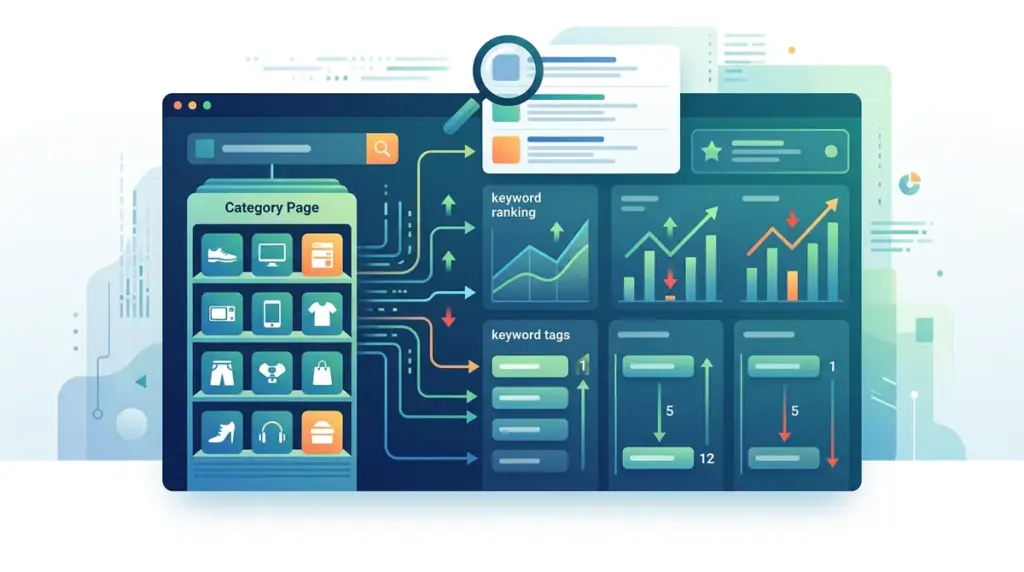
Category pages, or Product Listing Pages (PLPs), are the highest-value assets for ecommerce sites because they capture users at the consideration phase. While product pages (PDPs) often target specific long-tail SKUs with low search volume, category pages target "head" and "chunky middle" terms like "wireless headphones" or "men's running shoes." Because these pages represent broad intent, tracking their rankings requires a sophisticated approach that accounts for faceted navigation, regional search variations, and the specific SERP features that dominate retail search results.
Establishing a URL-First Tracking Architecture
Most SEOs track keywords in a vacuum, but ecommerce tracking must be anchored to the URL. A single category page might rank for hundreds of variations of a primary term. If you only track the primary keyword, you miss the "keyword cannibalization" that occurs when a sub-category or a specific product page begins outranking the main category page.
Best for: Identifying internal competition and ensuring the highest-converting page is the one Google prioritizes.
To do this effectively, organize your tracking project by folder structure or URL patterns. For example, all keywords associated with /category/footwear/ should be tagged together. This allows you to view aggregate data—such as Share of Voice (SoV) or Average Position—for the entire category rather than individual terms. When a category page drops in rank, you can instantly see if the traffic shifted to a more specific sub-category or if the site lost visibility entirely.
Segmenting by Taxonomy and Search Intent
Ecommerce sites often have deep hierarchies. Tracking "Shoes" is different from tracking "Blue Suede Loafers." You must segment your keywords based on where they sit in your site's taxonomy. High-level categories generally face stiffer competition from marketplaces like Amazon or Walmart, while niche sub-categories allow for more targeted optimization.
- Top-Level Categories: High volume, high competition, broad intent (e.g., "Furniture").
- Sub-Categories: Moderate volume, specific intent (e.g., "Mid-century Modern Sofas").
- Faceted/Filtered Pages: Low volume, very high intent (e.g., "Leather Sofas under $1000").
By tagging keywords with these labels, you can report on performance by department. If your "Electronics" department is growing while "Home Goods" is stagnating, a segmented tracking view provides the data needed to reallocate marketing spend or content resources.
Pro Tip: Do not track every possible faceted filter combination. Focus on facets that have been indexed and have high-volume search demand. Tracking thousands of low-value filter URLs will dilute your data and waste your crawl budget in your rank tracking tool.
Monitoring SERP Features Specific to Retail
For ecommerce category pages, the standard "ten blue links" are often pushed down by visual SERP features. Tracking your position is no longer enough; you must track your presence in specific rich elements that Google uses to satisfy shopping intent. These features often have a higher click-through rate (CTR) than the #1 organic result.
Popular Products: This organic grid often appears for category-level searches. If your products are not appearing here, your category page visibility is effectively halved. Your tracking should indicate whether this feature is present and if your domain is represented within it.
People Also Ask (PAA): Category pages often rank for informational queries. If a user searches for "best cameras for vlogging," a category page with a strong buyer's guide can capture the PAA box. Tracking these features tells you if you need to add more long-form content or FAQs to your PLP headers or footers.
Images and Video: For visual categories like fashion or home decor, the "Image Pack" can appear mid-SERP. If your category page images aren't ranking, you are losing a significant traffic source.
Accounting for Local and Regional Rank Fluctuations
If your ecommerce business has physical storefronts, your category page rankings will vary wildly based on the searcher's location. Google often prioritizes "near me" intent or local inventory for broad category terms. A user in New York searching for "bike shop" will see different results than a user in Los Angeles, even if they are looking for an online store.
To track this accurately, set up tracking for your most important geographic markets. Use specific zip codes or city-level tracking to see how your category pages perform in high-revenue areas. This is particularly critical if you use Local Inventory Ads (LIAs) or have a "Buy Online, Pick Up In Store" (BOPIS) model. If your organic category ranking drops in a specific city, it may be due to a local competitor's aggressive local SEO strategy rather than a site-wide algorithmic issue.
Handling Dynamic Content and Seasonal Volatility
Ecommerce category pages are dynamic by nature. Products go out of stock, new arrivals are added, and the "hero" products at the top of the page change weekly. This volatility can cause ranking shifts. If your top-ranking category page suddenly loses its "Best Seller" product that had significant internal linking, the page's authority may dip.
Monitor your rankings alongside "Page Change" alerts. If a significant drop occurs, check if the number of products on the page decreased or if the primary H1 was changed during a site update. Tracking tools that provide a "snapshot" of the SERP are invaluable here, as they allow you to see exactly what the page looked like to Google on the day the rank shifted.
Scaling Your Category Tracking Strategy
Managing rankings for thousands of category pages is a data management challenge. Use API integrations to pull your ranking data into a centralized dashboard like Looker Studio or PowerBI. This allows you to overlay ranking data with conversion data from Google Analytics. A category page that ranks #2 but has a 0.5% conversion rate requires a different strategy than a page that ranks #8 with a 4% conversion rate. By merging these datasets, you move from simple rank tracking to "Revenue-Per-Rank" analysis, which is the ultimate metric for ecommerce SEO success.
Frequently Asked Questions
How often should I refresh rankings for ecommerce categories?
Daily tracking is recommended for high-volume categories, especially during peak shopping seasons like Q4. For niche sub-categories, weekly tracking is usually sufficient to identify trends without creating data noise.
Should I track mobile and desktop rankings separately for PLPs?
Yes. Mobile SERPs often feature more "Popular Products" grids and visual elements than desktop. Since the majority of ecommerce browsing happens on mobile, your mobile ranking is the more accurate reflection of your actual visibility.
What should I do if a product page is outranking my category page?
This is usually a sign of "intent mismatch" or internal link imbalance. Ensure your category page has more internal links from the main navigation and footer than individual product pages. You may also need to adjust the on-page content of the product page to be more specific to that SKU, rather than broad category terms.
Does the number of products on a category page affect its ranking?
Yes. Google generally prefers category pages that offer a wide selection. If your product count drops significantly due to out-of-stock items, your rankings may decline as the page no longer satisfies the "broad choice" intent of a category search.